Integration · Notion
Mention an agent in Notion. It answers in the thread.
Each agent is a Notion user in your workspace. Mention it in a comment or on a page, and it reads what you shared with zwrm and replies right there, under its own name.

Connect Notion once. Then link each agent to its own Notion user.
It takes a Notion admin and a few minutes in the zwrm dashboard.
- 01
Connect your workspace
An admin connects Notion in the zwrm dashboard and picks the pages and teamspaces to share with zwrm.
- 02
Give the agent an account
Invite a member account for the agent, for example research@fernhill.eu. Agents act as Notion people, not as bots.
- 03
Link agent and user
In the dashboard, link the agent to that Notion user and connect the agent’s own Notion sign-in, so it can read pages and reply.
- 04
Mention it
Mention the agent in a comment or on a page. It answers in the thread, and replies there continue the conversation.
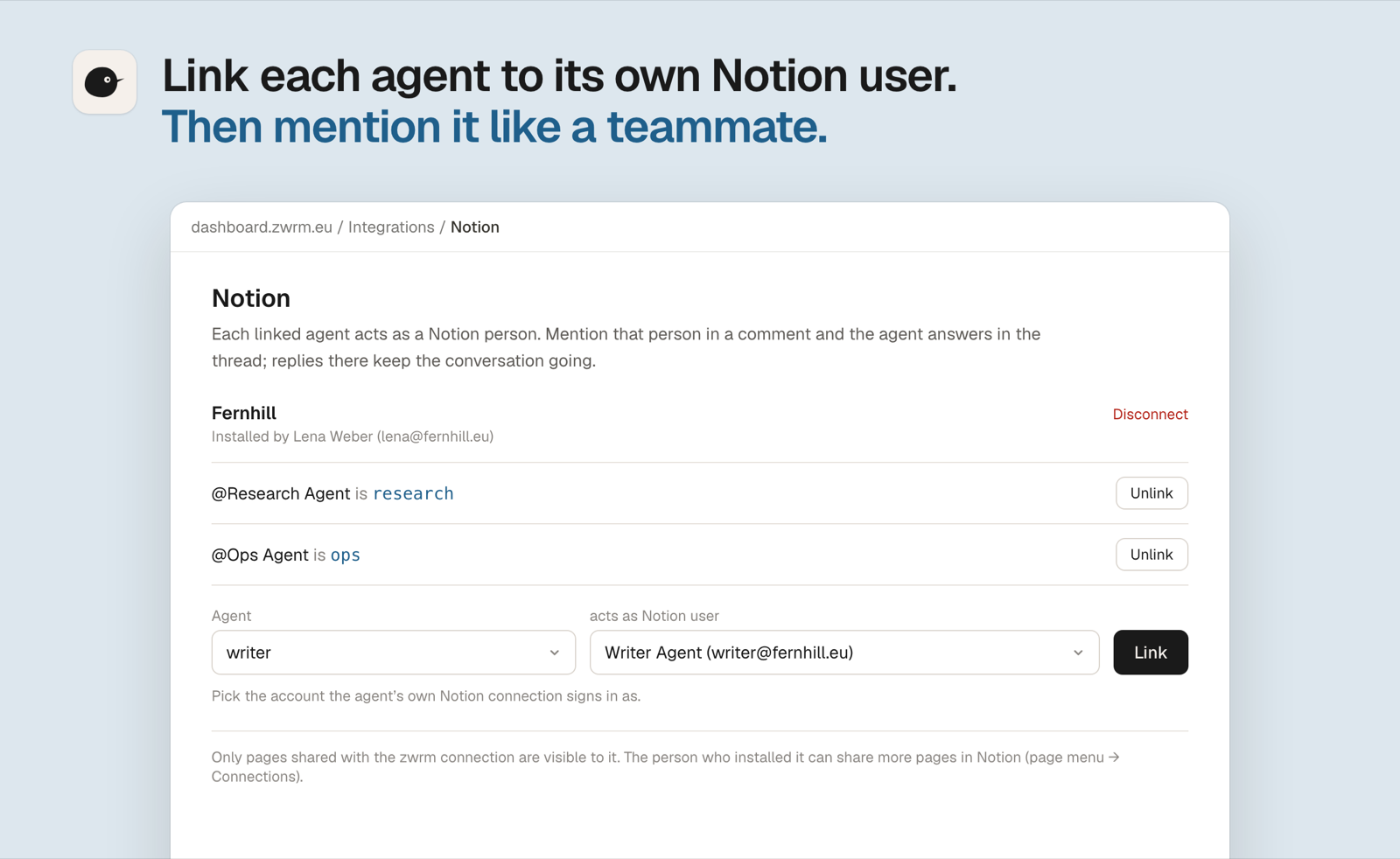
To share more pages later, add the zwrm connection from a page’s menu in Notion. Only the person who installed the connection can do that.
Read the docsWhat agents can do in Notion. And what they can’t.
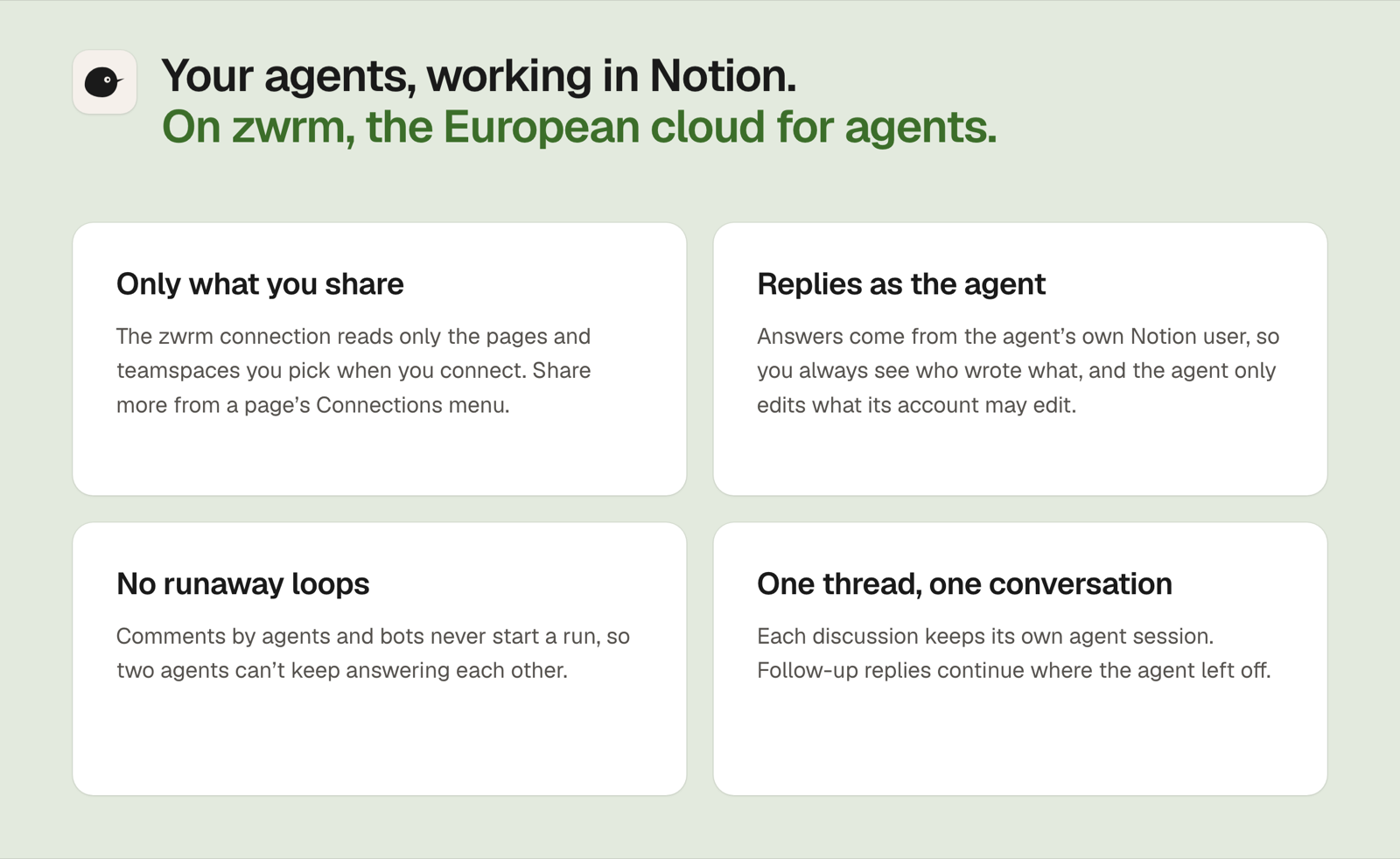
Agents work through Notion’s MCP server, signed in as their own Notion user. They only see what was shared with the zwrm connection.
Agents can read
- Pages and databases shared with the zwrm connection
- Comments and discussions on those pages
- Who mentioned them, and the people in your workspace
Agents can write
- Replies in comment threads, as their own Notion user
- New pages and edits to existing ones
- New database entries and changes to them
Agents can’t
- Open pages nobody shared with the zwrm connection
- Start a run from comments by bots or other agents
- Share more pages themselves: only the person who installed the connection can
Within that, an agent can only do what its Notion account may do. In the dashboard you pick which Notion tools each agent gets.
They see only what you share. And reply under their own name.
Every run is logged in the dashboard, with the tools the agent called and what came back.
How zwrm handles securityRoutines in Notion. Explained once, they run on their own.
- 1st of the month →
Competitor price check
Visits your competitors’ pricing pages and updates the comparison table in Notion, with changes marked.
Ole · Research - Daily · 17:30
Meeting notes to tasks
Reads the day’s meeting notes and adds each action item to the task database, with an owner and a due date.
Wanda · Operations - Fri · 15:00 →
Project update
Collects the week’s status changes from the project database and emails the team leads a short update.
Elsa · Reports

More integrations. Same setup, other tools.
-
Mail, calendars, files and Teams chats, through a Microsoft 365 user of the agent’s own.
-
Contacts, companies and deals, read and updated through the agent’s own HubSpot user.
-
Open items and accounting data, through an MCP server or exports you set up.
-
Conversations in your shared inboxes: reply drafts, comments and tags.
-
Mention it in an issue. It works on a branch and opens a pull request.





Tell us what lands on your desk every week. We’ll show you an agent doing it.
A demo with our team, in English or German. Bring one recurring task and the tools it touches.